
Mirmir · Native macOS video upscaling
Every pixel. Every decision. In the open.
Mirmir is a local-first video upscaler built around explicit methods, honest availability, and the first deterministic upscaling engine based on James Daley’s Adinkra-Stabilized Hypercube Model.
Native SwiftUI · App Sandbox · Local processing · No silent fallback

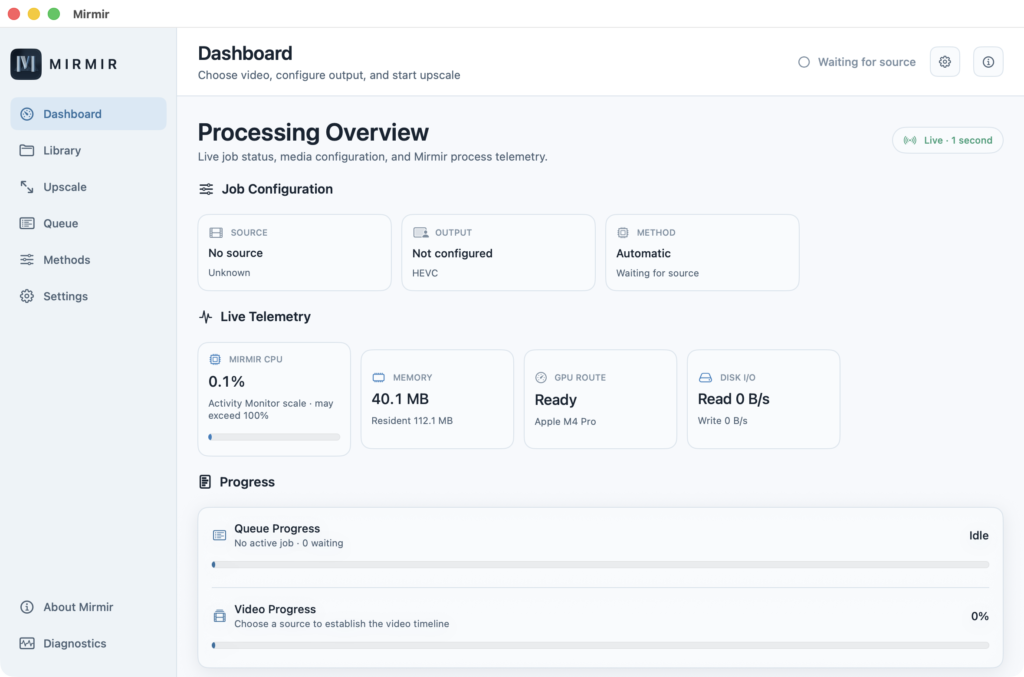
Update · October 5, 2026
The Mirmir Open Beta is suspended.
The Mirmir Open Beta is suspended until TestFlight resolves a known infrastructure issue blocking external distribution.
Selecting an external group and submitting produces a generic “request cannot be completed” loop. Browser logs show a 422 backend error. A full metadata reset and incremented build numbers did not help — this is a server-side contract provisioning failure, not a local configuration problem.
We’ve asked Apple Support and Apple Developer to escalate Case ID 102984735888 to App Store Connect engineering and have not heard back. The beta will reopen once external TestFlight submissions work again.
Thank you for your patience.
Reproducibility over mystery
Upscaling should tell you what it did.
Mirmir replaces the opaque “enhance” button with a clear processing contract. Choose a deterministic ASH route, an Apple-native scaler, or Automatic. The app evaluates the exact source and target, explains availability, and keeps the chosen backend’s identity visible from preparation through validated output.
The first video upscaler to implement the ASH Model as a deterministic upscaling engine.
Adinkra-Stabilized Hypercube Model
A finite, testable route from frame to frame.
Developed by James Daley, the ASH Model maps measurable image structure into a parity-checked finite state, decodes bounded spatial decisions, and reconstructs the destination through an explicit operator path. The current CPU reference processes compatible frames in deterministic row-major order and produces byte-identical output for repeated identical inputs in its tested matrix.
Precise by design: the current ASH routes are frame-local spatial processing for exact 2× and 3:2 output. The CPU path is the auditable reference; the accelerated Metal route is a development preview with separate repeatability evidence and no CPU/Metal bit-parity claim.
Geometry
Exact 2× and 3:2
Unsupported target geometry is refused, not rounded into a different ASH route.
CPU reference
Byte-repeatable
Repeated identical tested inputs produce identical visible bytes in both NV12 planes.
Metal preview
Stable by test
Repeated GPU jobs are compared for identical output while CPU differences are measured openly.
Selection
No substitution
An explicit backend never quietly becomes a different scaler after a failure.
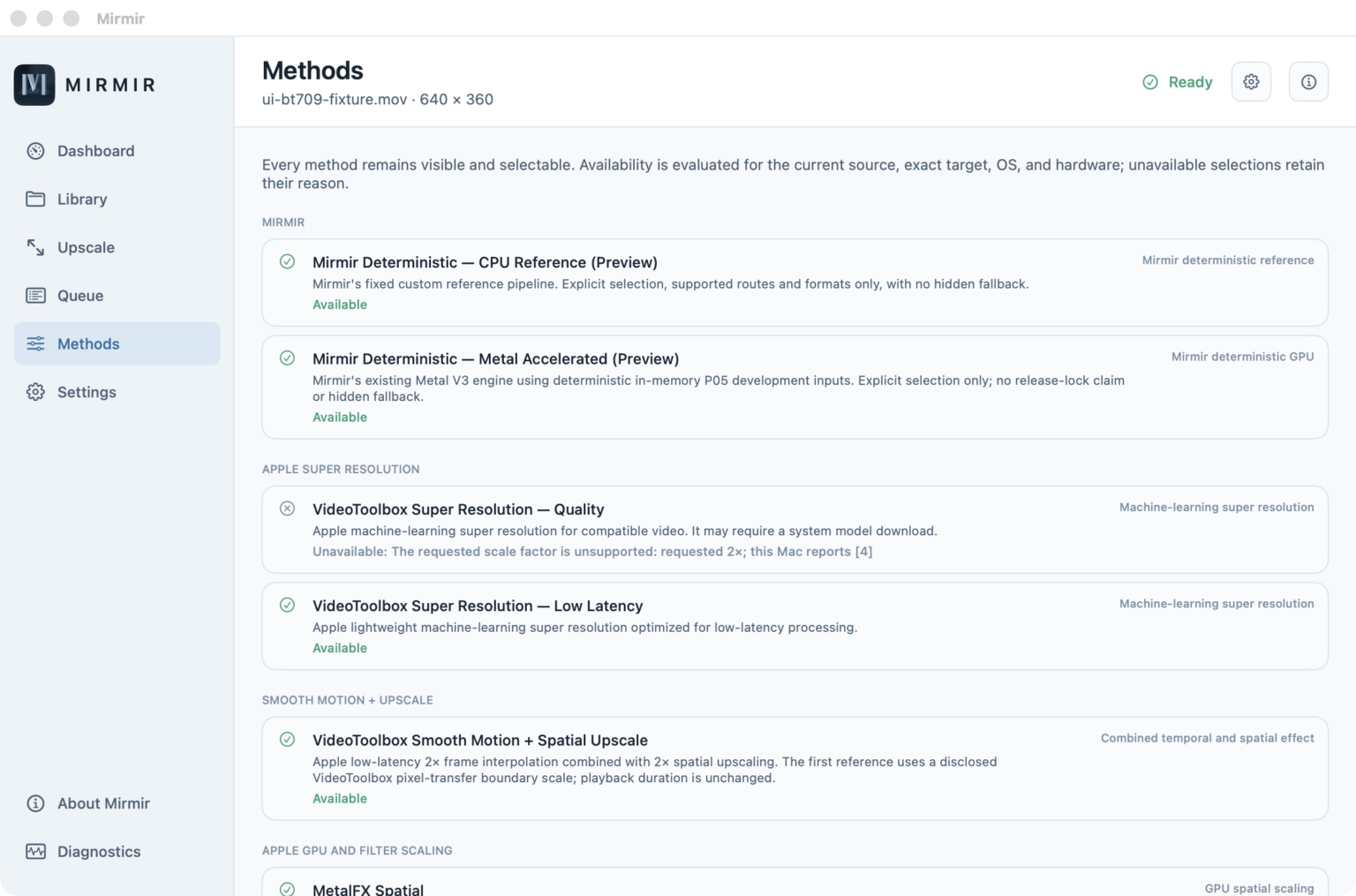
A visible catalog, not a black box
Choose the method you mean.
Availability is recomputed for the loaded source, exact target, macOS version, hardware, color contract, and any system-managed model state.
Mirmir deterministic
ASH CPU & Metal
Explicit-only deterministic spatial routes for compatible progressive 8-bit NV12 media, with exact 2× and 3:2 geometry.
Apple acceleration
VideoToolbox & Metal
Quality and low-latency super resolution, Smooth Motion, MetalFX, MPS Lanczos, and MPS Bilinear where the current Mac supports them.
Image & CPU frameworks
Core Image & vImage
Lanczos, bicubic, high-quality, and standard spatial choices, plus an explicit VideoToolbox pixel-transfer route.
One bounded job, end to end
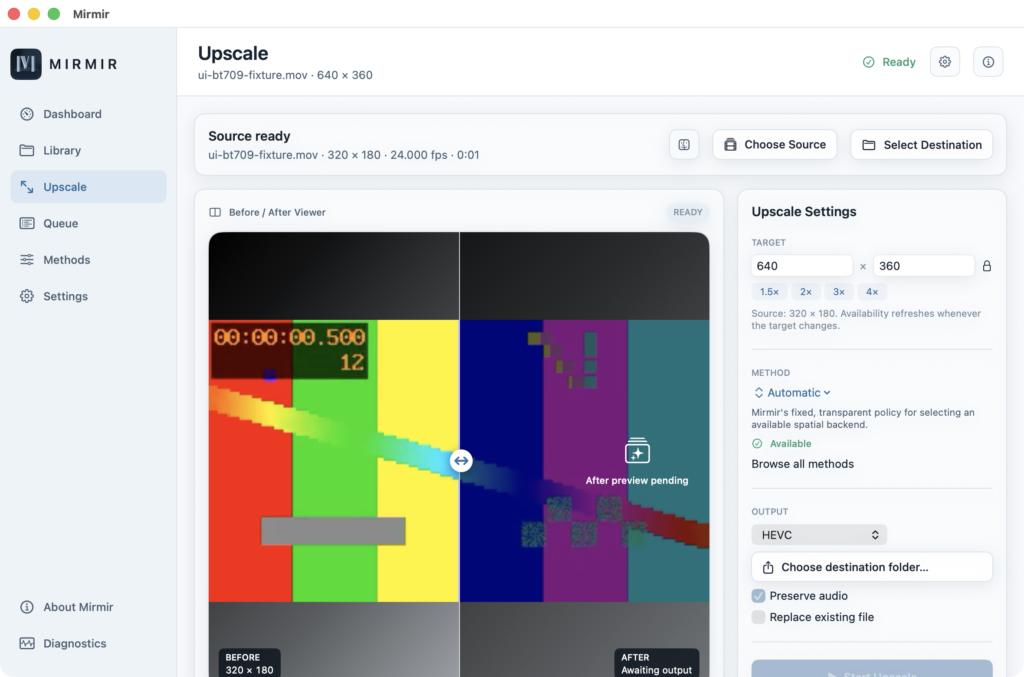
Choose. Process. Inspect.
Mirmir keeps the path from source to published movie deliberately small and legible.
Choose a local video
Probe the source, inspect its facts, and set an even target raster.
Select an exact method
See whether it is available—and why—before processing starts.
Review the completed output
Move the split divider across synchronized source and processed frames.
Local by architecture
Your media stays in your workflow.
The active app contains no direct analytics or general networking client. Processing runs through the Mirmir process and Apple frameworks on user-selected file URLs.
Sandboxed
User-selected access
Security-scoped source and destination access is held only for the active selection and job.
Fail closed
Intent is preserved
Unsupported HDR, scan, geometry, or backend conditions are surfaced instead of hidden by conversion.
Staged output
Validate, then publish
Mirmir writes a sibling temporary movie, reopens and validates it, then moves or replaces atomically.
No upload service
Local processing
No media-upload client is implemented; system model downloads and cloud-backed file providers remain explicit platform boundaries.
Open Beta
The Open Beta is suspended.
A native macOS upscaling workspace for people who want local processing, explicit methods, and an honest account of how each output was made. External TestFlight distribution is paused until Apple resolves the infrastructure issue. Read the status update.
Requires macOS 15.4 or later. Some Apple-native methods require newer macOS releases and compatible hardware.